One real-time view of a 450+ truck fleet
Overview
The problem
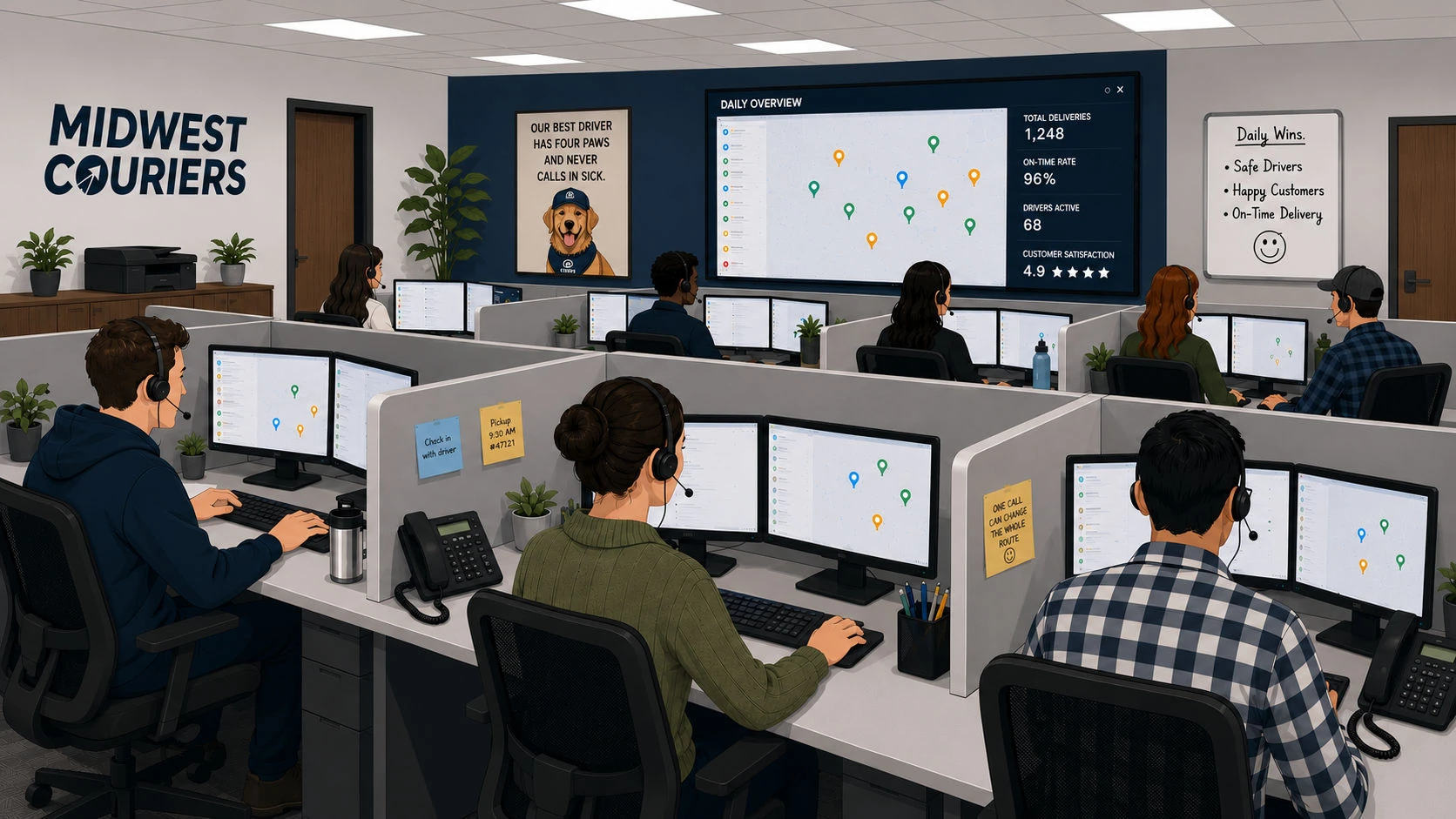
Midwest Couriers operates a fleet of 450+ vehicles. Unlike long-haul trucking, each dispatcher manages 50 active drivers. The floor is high-intensity and team-based. Decisions happen by the second. Drivers make 10 to 20 stops a day, and the volume of judgment calls had outgrown their legacy tools. Dispatchers were absorbing the stress the system couldn’t.
The solution
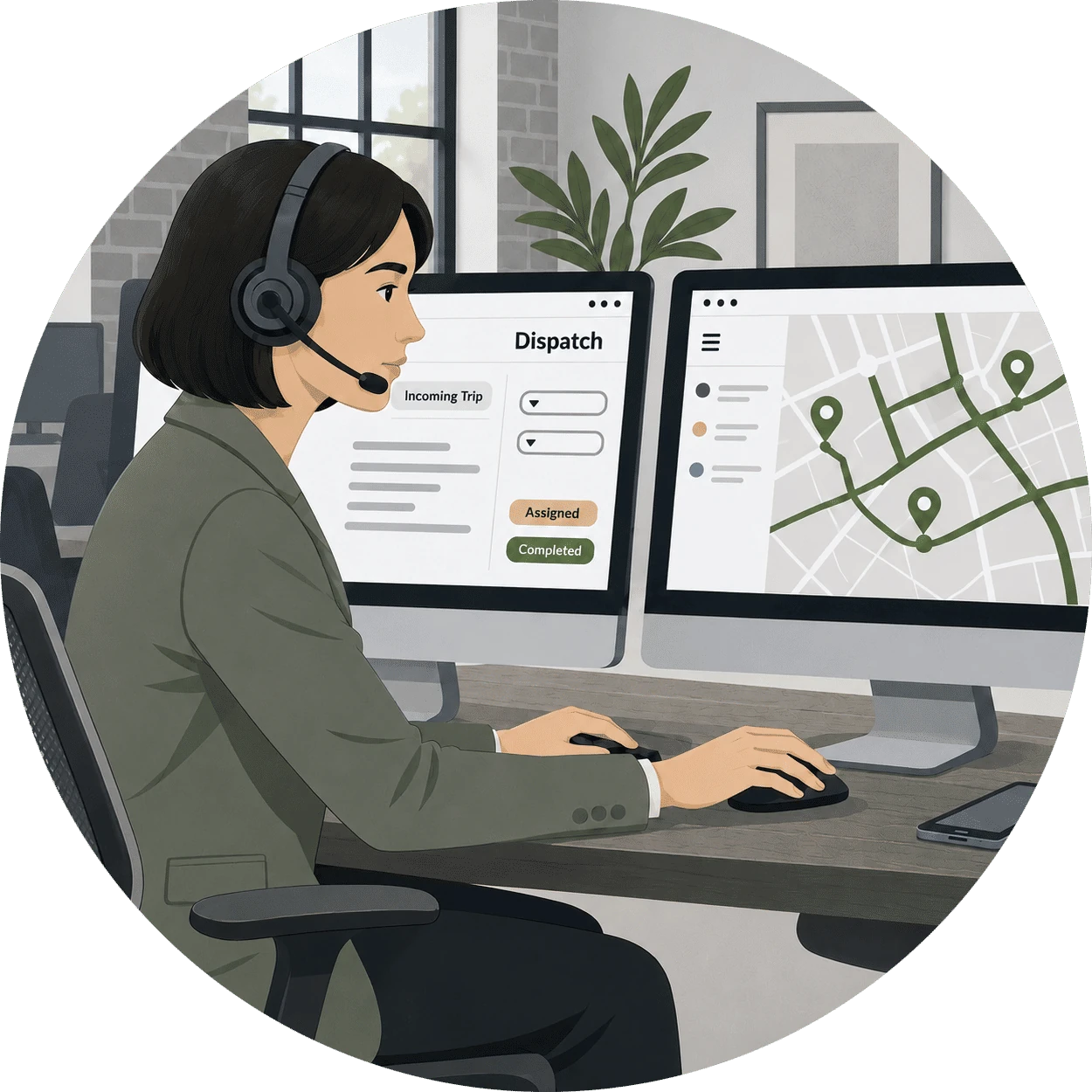
I led the design of a collaborative “cockpit” interface built around how dispatchers actually work. They sit side-by-side at individual workstations, constantly coordinating with the colleague next to them. The system shows the whole fleet in real time. It puts the things dispatchers do a hundred times a day within easy reach. It gives them the calm and precision same-day delivery demands.
My approach
Research-led product design for a real-time operations floor
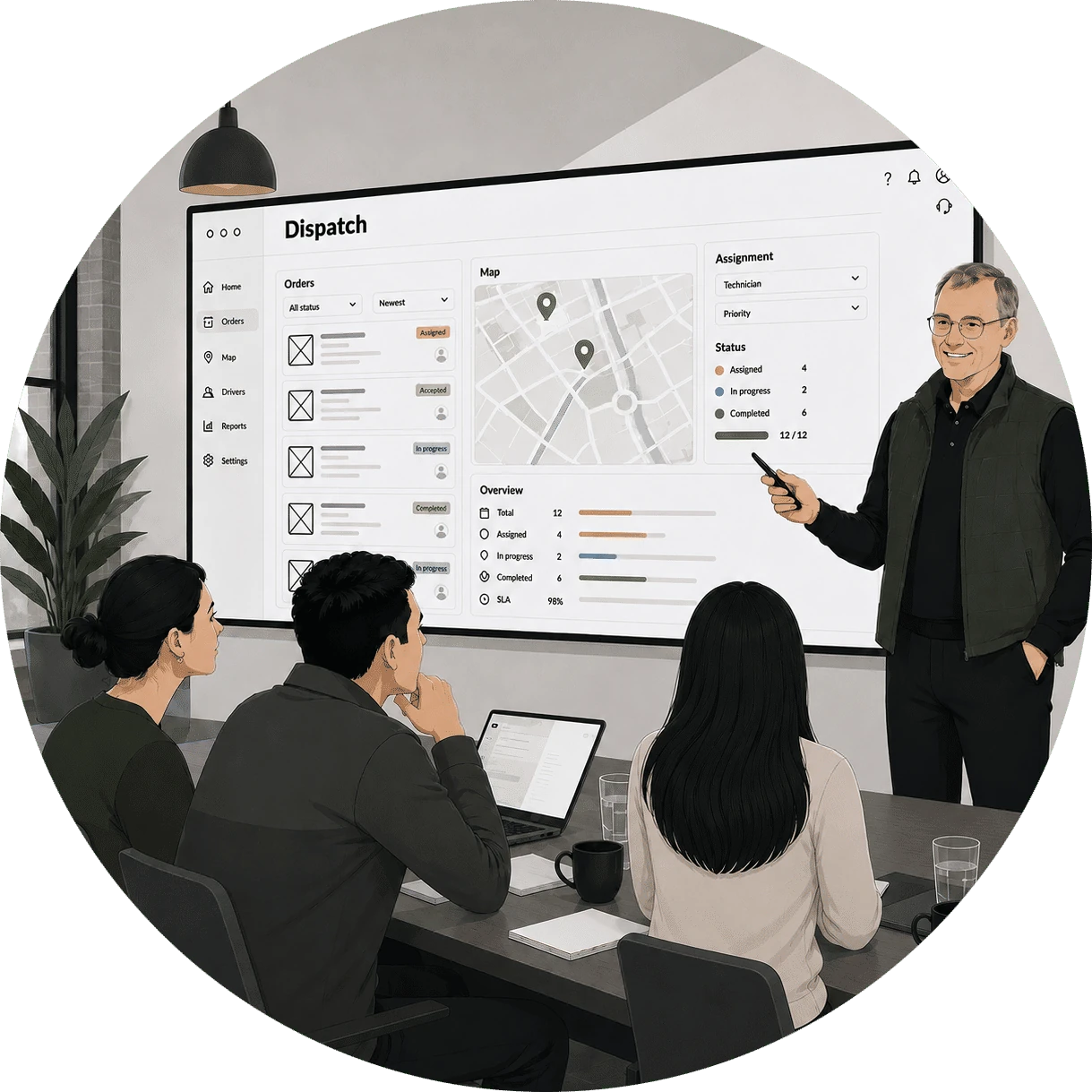
I worked directly with the CEO, management team, and the dispatchers themselves. I wanted to learn the job before redesigning the tool.
First instinct: a map-based view
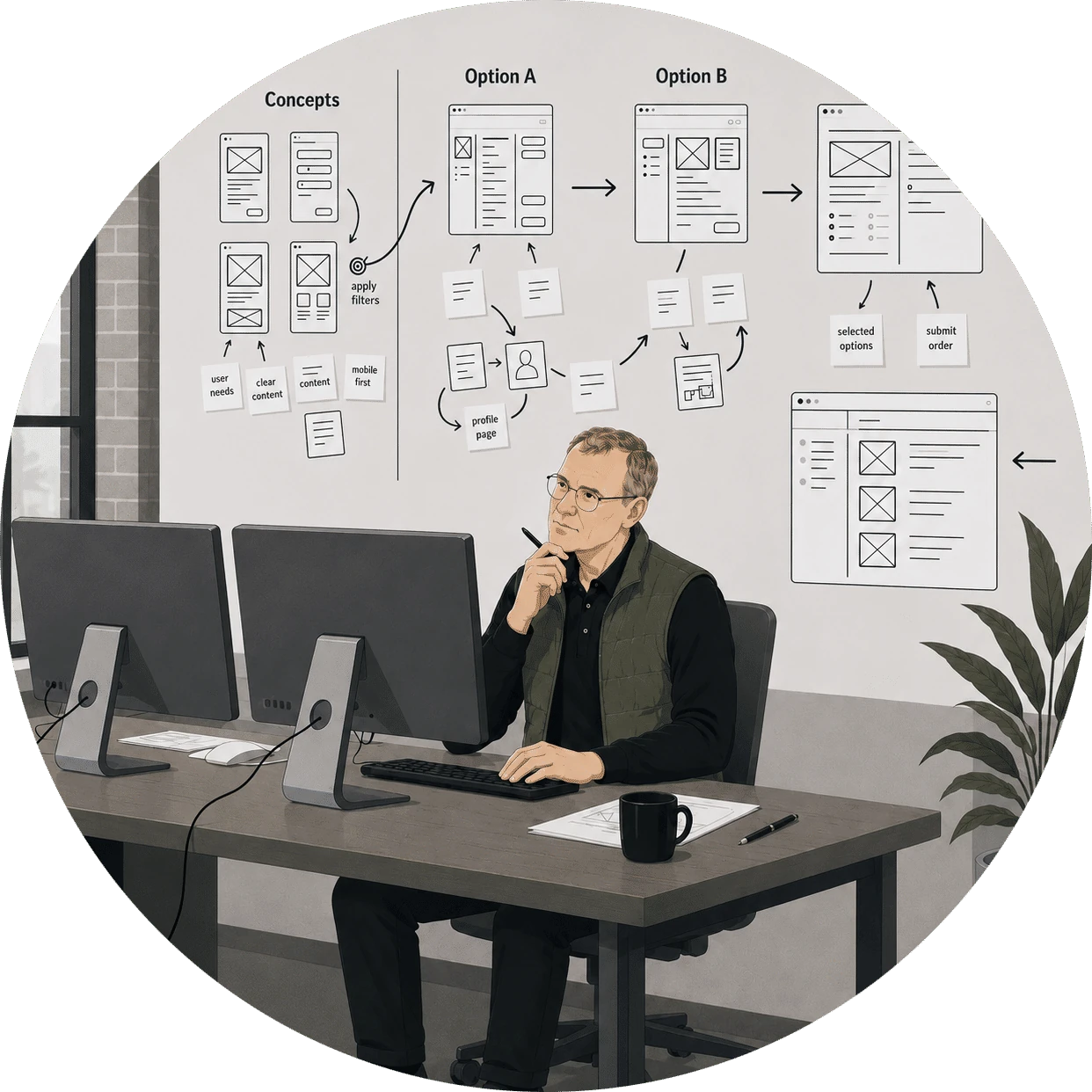
My mind went straight to maps. I assumed I would do the job by visualizing geographic relationships. That is how I would have approached it. But once I sat with the dispatchers and watched them work, the assumption fell apart fast.
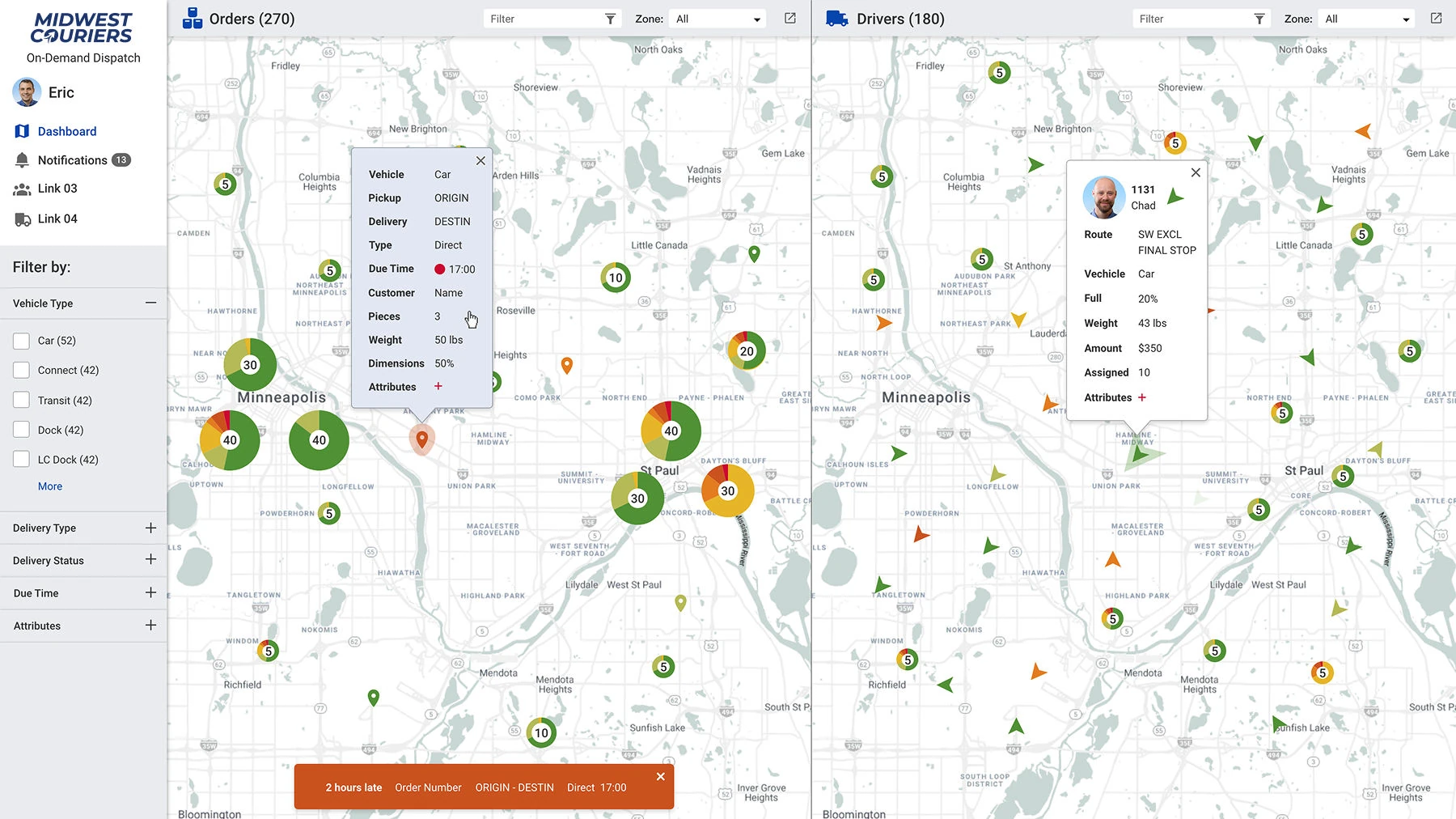
- Clustered pins show where the orders are piling up
- Color tells pickups apart from drop-offs
- Dispatchers can see how orders sit relative to each other
Pivoting to scannable cards
Dispatchers didn't need a map to work from. They knew every location code by heart. What slowed them down wasn't geography. It was scanning through endless lists. They needed dense, scannable cards they could sort, stack, and process at the speed of their expertise.
The map wasn't wrong everywhere, though, and it didn't disappear. It moved to where it earns its space. Inside the driver detail, the question is one route at a time, and seeing it drawn is faster than reading it.
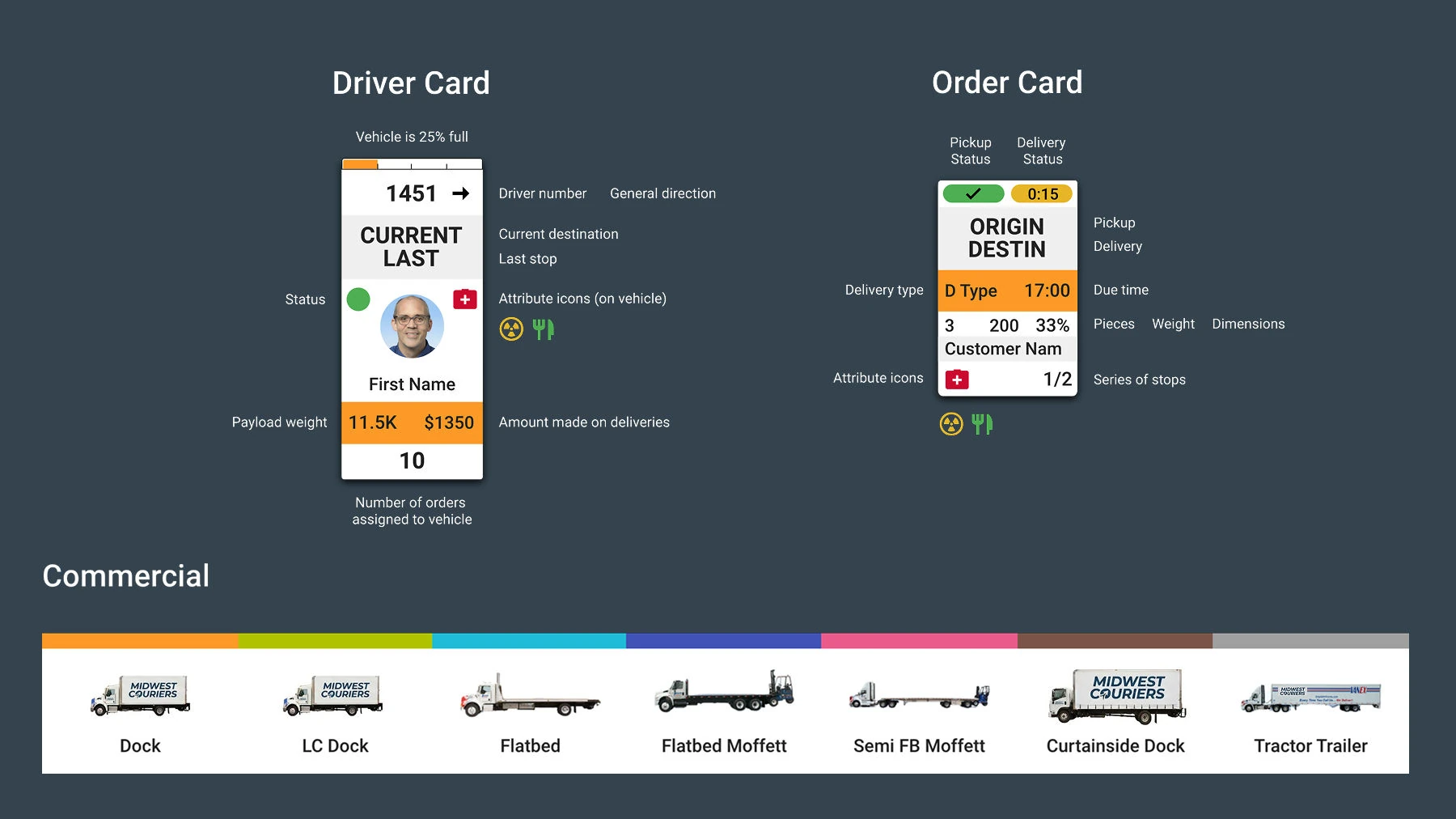
- The driver card stacks live location, status, and how full the truck is
- The order card fits addresses and time windows into one tile
- Small icons replace wordy labels, so more fits without getting harder to read
A cockpit for logistics
I designed a dual-monitor cockpit setup where every pixel earns its place. Dispatchers see the entire operation at a glance. No clicking through menus. No hunting for information.
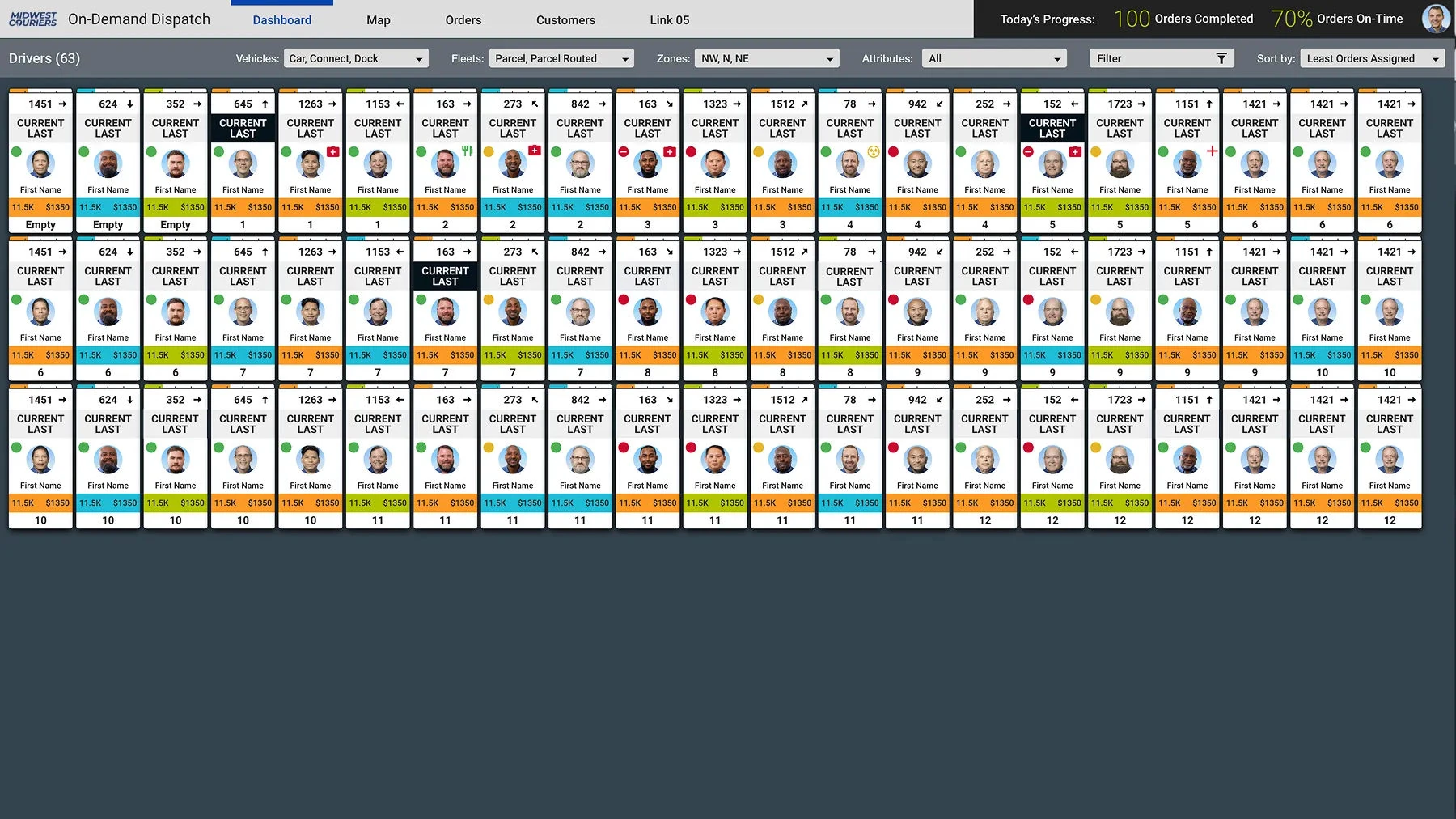
- A grid showing which drivers are out and what they’re doing right now
- Each card carries the driver’s ID, current load count, and earnings
- Filters to sort the fleet by vehicle type, zone, or anything else
Parcel dispatcher view
This is where orders get assigned and chaos becomes routes. The interface makes complex batching decisions feel simple. It matches the pace at which dispatchers already think.
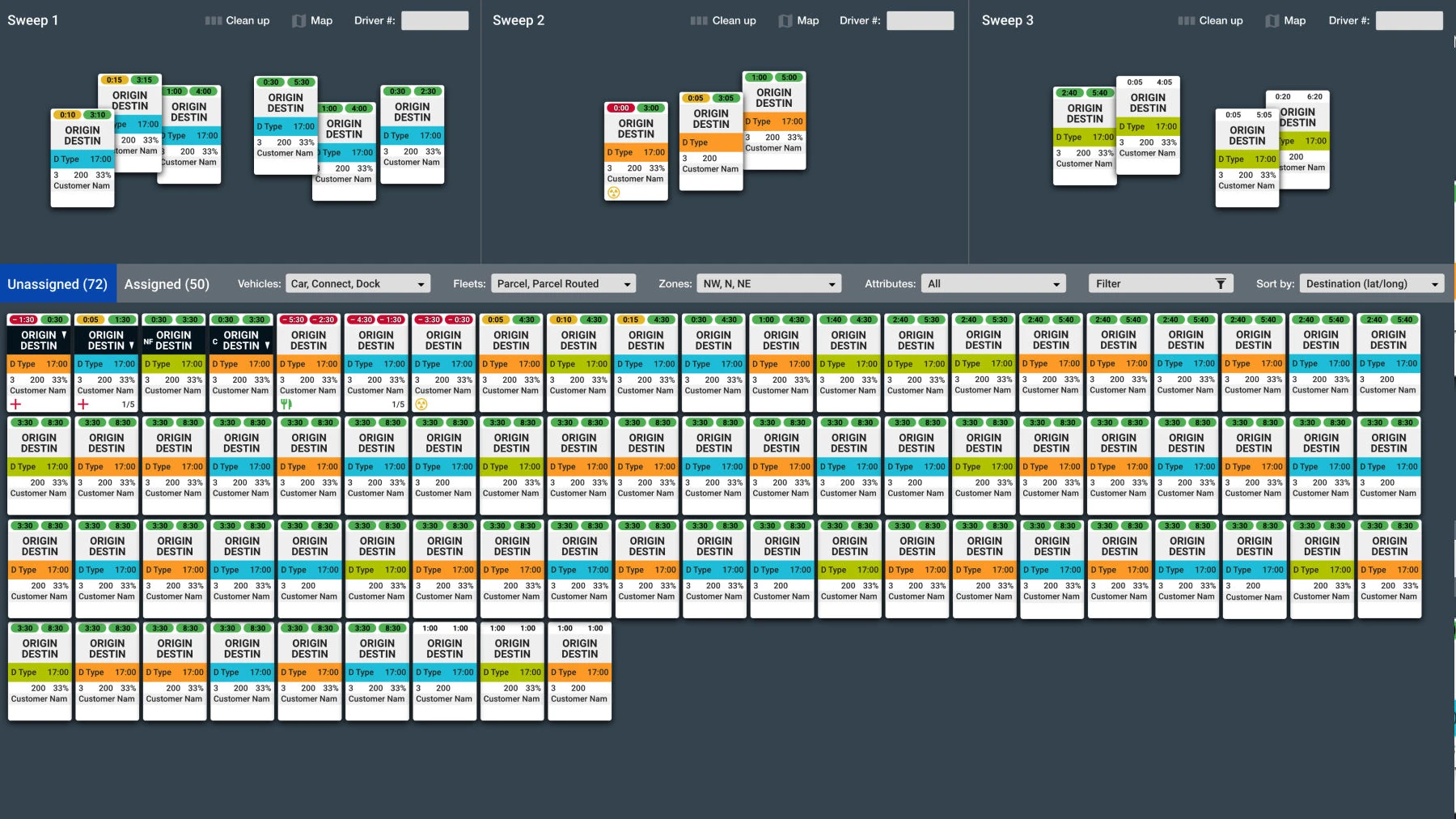
- Dispatchers group orders into "sweeps" to build a route before assigning it
- The lower panel holds every unassigned order, with filters
- Orders drag straight from the queue into a sweep
Driver detail modal
When something goes wrong, dispatchers need details fast. A focused modal surfaces full driver context. It does this without pulling them away from the main dashboard.
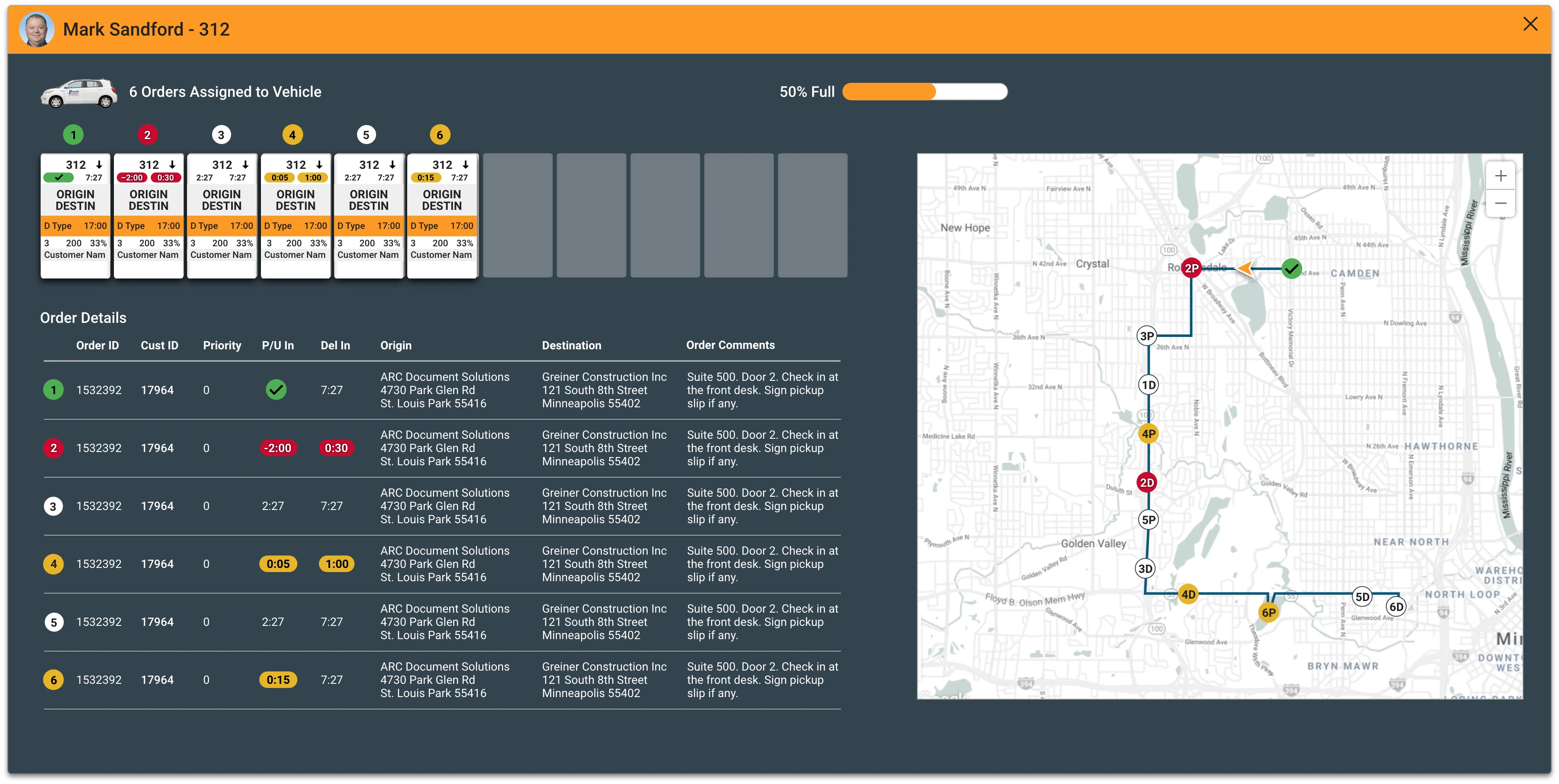
- The overlay shows how full the truck is and what’s already assigned
- A detailed list of every order, with its priority and time window
- A map plots the whole route in order
The impact
How I measured this
How each figure above was counted, over what period, and what it cannot tell you.
- Board-clearing time, roughly 30%
- From the dispatch system’s own timestamps: when an order entered the unassigned queue and when it was assigned. I compared the median time to clear the board at the start of each dispatch cycle over the four weekday weeks before launch and the four after. Order volume was similar in both periods, and a holiday week was left out.
- Wrong-vehicle dispatches, roughly a quarter fewer
- Counted from the reassignments the operations manager logged as the wrong vehicle type, from the same log before and after launch, over the same eight weeks. The counts are small, so the direction is more trustworthy than the exact size.
- Dozens of orders and the whole roster on screen
- A property of the layout rather than a result: counted on the production screens at the resolution the dispatch workstations ran.
- Near-instant fleet assessment
- Observed, not timed. In usability sessions, dispatchers answered “who is free right now?” from the status colors without scrolling, where the old tool took a pass down the list. Nobody held a stopwatch, which is why this row has no number.
- Post-launch survey
- A short anonymous survey of the dispatch team about a month after launch, asking whether they felt in control during peak. “Most” means most of the people who answered, not the whole floor, and it is self-reported: the softest figure here.

A dense screen isn’t a problem when it’s organized well. The dispatch floor stopped feeling chaotic and started feeling rhythmic. The dispatchers who run it gained the confidence to handle peak load without burning out.